RAID troubleshooting
Introduction
My server has been running issue-free for about two and a half years until yesterday, when my system failed to start. I first noticed when my shared drive wasn’t accessible on my MacBook, which an unresponsive ssh host further confirmed.
The goal of this is to document my problem-solving process to understand better how to remediate issues—noting any lessons learned, technical insights, and preventative measures.
Background
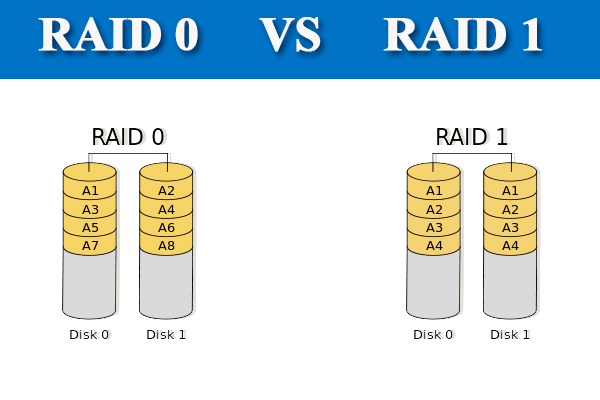
Regular operation of my server consists of a RAID 1 configuration with setup using Intel Rapid Storage, mounted on my Arch Linux drive on the /hdd path.
Most of my server usage consists of a shared folder configured with Samba, accessible on my devices. Additionally, my website and Discord bot start various game services through Docker.
The Incident
I was attempting to copy over some Emulation files from my Steam Deck to my laptop when I noticed things were wrong. I thought it was a shaky internet connection, as Verizon routers are not the greatest. However, upon further inspection, I saw my whole server was offline.
Diagnosis
After I realized my server was unresponsive, I plugged in a monitor and keyboard into the device. After a quick restart, I got a dialog box that showed my RAID configuration in a degraded state.
When booting into Arch, the system failed to boot since it could not mount the RAID configuration.
It was a bit difficult to view the RAID status since the initial boot menu only showed up for a few seconds. I recommend using a monitor with an external power source and looking up any boot keys in your motherboard's manual online. In this case, the keys were F12 (BIOS), F9 (BOOT MENU), and CTRL+I (RAID INFO).
The Root Cause
The problem ended up being a faulty power cable. Since the hard drives are stuffed into the back of my PC case, the power connectors were under a high amount of stress, causing the plastic to break on the connector and disconnect the drive from my computer. I replaced the cable with a new one, and the hard drive was recognized.
Resolution and Recovery
This should have been the end of the story, but I decided to connect another hard drive as a spare. This is when I learned that Intel Rapid Storage is firmware-assisted software RAID, and the management workflow still depends on host software.
Any modifications or recoveries to the RAID are scheduled for the next time Windows boots. That’s right… I had no idea that my RAID configuration required me to install Windows on my server.
I installed Windows onto an additional drive, booted into Windows, and installed the Intel Rapid Storage tool. When adding the spare drive to the RAID configuration, I accidentally clicked migrate to RAID 0. Yup, there was minimal confirmation.
I recommend that anyone else using Intel Rapid Storage back up their data first. Be careful of the software, as it doesn’t require much confirmation for serious modifications to your hard drives.
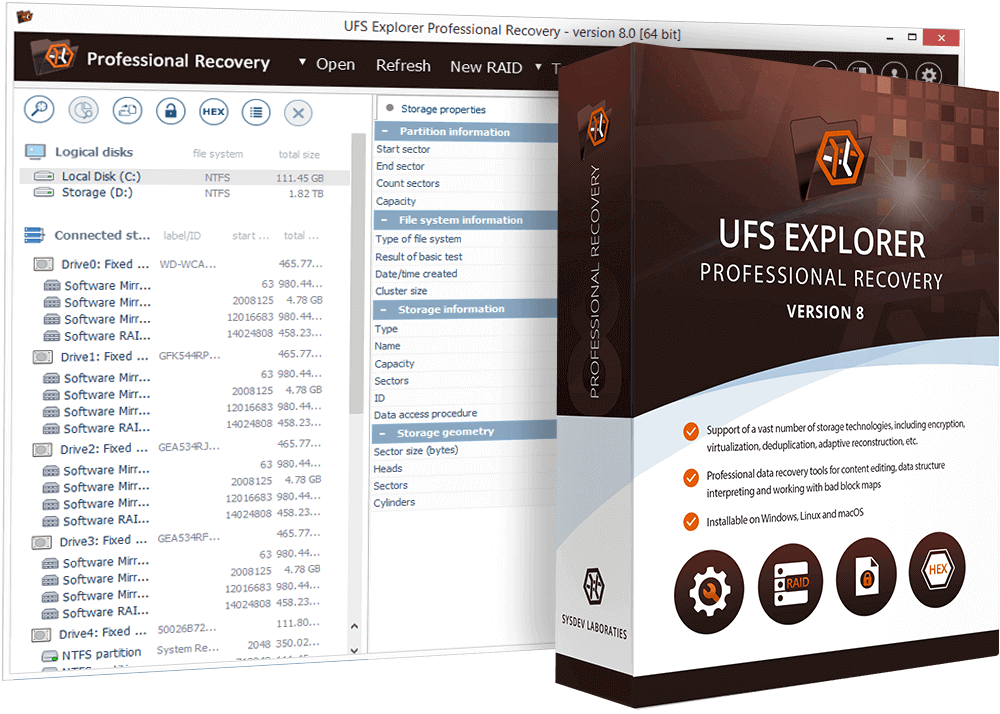
To recover my data, I had to install UFS Explorer and copy my data to a different drive.
Once my data was secured, I wiped the RAID configuration and booted an Arch installation drive to remove the old /hdd mount from /etc/fstab. I also needed to repair the EFI boot.
The device names below are placeholders, not copy-paste values. Confirm the root and EFI partitions with
lsblk -fbefore mounting anything; choosing the wrong device can destroy data.
mount /dev/<root-partition> /mnt
mount /dev/<efi-partition> /mnt/boot

arch-chroot /mnt

vim /etc/fstab

grub-install --target=x86_64-efi --efi-directory=/boot --bootloader-id=GRUB
grub-mkconfig -o /boot/grub/grub.cfg

mkinitcpio -P

exit
reboot
After this, my regular installation was ready to boot again and I could continue over SSH.
This time I went to configure the fake raid in Arch rather than Windows. To do this I used the mdadm tool.
sudo mdadm --create --verbose /dev/md/md0 --level=1 --raid-devices=2 /dev/sdb /dev/sdc --spare-devices=1 /dev/sdd

sudo mdadm --detail --scan | sudo tee -a /etc/mdadm.conf

sudo pacman -Syu linux
# or
mkinitcpio -P
Then update the /etc/fstab.
/dev/md0 /mnt/raid1 ext4 defaults,nofail 0 2
This time I am using the nofail option to make sure that my system can boot if the drives are not recognised.
Lessons Learned
- Regular backups of your system are essential.
- RAID is mostly only for High Availability, it does not serve as a backup.
- ChatGPT is useful for problem solving.
- Research before making storage changes. I was lucky to have multiple computers, extra drives, a Windows installation, and recovery software available.
Conclusion
My RAID drive failure taught me valuable lessons: the importance of regular backups, understanding your technology deeply, and the usefulness of having the right tools and resources. This incident highlighted that RAID is not a complete data safety solution and that careful planning and research are essential in managing digital systems. Ultimately, this experience was a powerful lesson in the importance of being prepared and adaptable in the face of technological challenges.